GCal is showing an event on my calendar that I don't know anything about
Print
Modified on: Tue, Mar 10, 2026 at 9:41 AM
To disable automatic calendar additions:
- Open Google Calendar.
- Click the gear icon and select Settings in the upper right part of the screen.
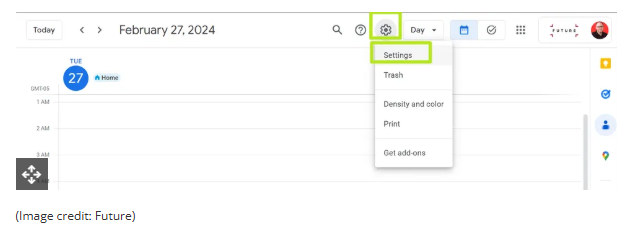
- Under Event settings, change Add invitations to my calendar to either Only if the sender is known or When I respond to the invitation email. (The default setting is From everyone, which will add any invite to your calendar.)
- Uncheck Show events automatically created by Gmail if you want to stop Gmail from adding to your calendar on its own.
Did you find it helpful?
Yes
No
Send feedback Sorry we couldn't be helpful. Help us improve this article with your feedback.
